If your Bambu Lab P1S starts printing perfectly but clogs after a few prints, you are not alone. Nozzle clogging is one of the most common issues reported by users of high-speed FDM printers. The good news is that this problem is usually caused by a small number of fixable factors. (Bambu Lab P1S nozzle clogging)
In this guide, you’ll learn the most common causes of Bambu Lab P1S nozzle clogging and how to solve them step by step.
If you’re looking for test prints or replacement parts, you can also download free STL models from our library to verify extrusion performance after fixing the nozzle issue.
Why Does the Bambu Lab P1S Nozzle Clog After a Few Prints?
Nozzle clogs that appear after several successful prints usually indicate progressive contamination or incorrect extrusion settings, not a hardware failure. The most common reasons include:
- Heat creep inside the hotend
- Poor filament quality or moisture
- Partial nozzle contamination
- Incorrect temperature or flow calibration
- Residual debris from previous filaments
Because the Bambu Lab P1S is designed for speed and enclosed printing, thermal and material factors become even more important.

1. Check Filament Quality and Moisture
Low-quality or damp filament is the number one cause of recurring nozzle clogs.
What to do:
- Dry PLA, PETG, or ABS filament before use
- Store filament in a dry box or sealed container
- Avoid brittle or dusty filament spools
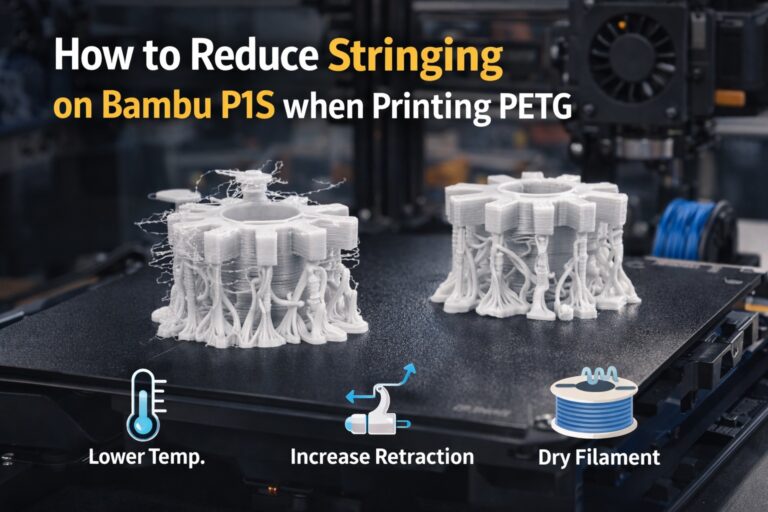
Moist filament expands during extrusion, leaving residue inside the nozzle that builds up over time.
2. Increase Nozzle Temperature Slightly
Printing at the minimum recommended temperature may work at first but can cause partial clogs after multiple prints.
Recommended fix:
- Increase nozzle temperature by +5°C to +10°C
- Test extrusion consistency after adjustment
Higher-speed printers like the P1S often benefit from slightly higher temperatures to maintain smooth filament flow.
3. Perform a Cold Pull (Highly Effective)
A cold pull removes internal debris without disassembling the hotend.
Steps:
- Heat the nozzle to printing temperature
- Insert nylon or cleaning filament
- Cool to ~90–100°C
- Pull filament out slowly
Repeat until the filament comes out clean.
4. Inspect the Nozzle for Partial Blockage
Even a small carbonized particle can cause repeated clogs.
Best practice:
- Remove and visually inspect the nozzle
- Clean with a brass brush
- Replace the nozzle if clogging persists
Nozzles are consumable parts—replacement is sometimes the fastest solution.
5. Check Flow Rate and Retraction Settings
Incorrect flow or aggressive retraction can lead to filament grinding and heat creep.
Recommended settings:
- Flow rate: 100–102%
- Reduce excessive retraction distance
- Avoid unnecessary high retraction speeds
These adjustments reduce pressure buildup inside the hotend.
Final Thoughts
If your Bambu Lab P1S nozzle clogs after a few prints, the issue is almost always related to filament quality, temperature, or internal residue. By drying filament, slightly increasing temperature, performing cold pulls, and checking nozzle condition, you can restore reliable printing and prevent future clogs.
Consistent maintenance is the key to keeping high-speed printers running smoothly.