You have just finished a beautiful, high-quality print. You grab your pliers, try to pull off the supports, and snap—the model breaks, or you are left with ugly, rough scars on the surface. If you are struggling with stuck plastic, you need to optimize your Bambu Lab A1 Mini support settings immediately.
While dialing in your speed settings is crucial for saving time, dialing in your supports saves your sanity. In this guide, we will show you exactly how to tweak Bambu Studio to get supports that snap off effortlessly, leaving perfect overhangs behind.
Why Default Bambu Lab A1 Mini Support Settings Fail
By default, Bambu Studio uses standard, grid-like supports that grip the model very tightly. The software prioritizes print stability over easy post-processing. It wants to make 100% sure your print doesn’t fail, but it leaves you with a nightmare during removal.
To get that satisfying “snap,” we need to change the distance, the shape, and the density of the support structures.
The Best Bambu Lab A1 Mini Support Settings for Clean Removal
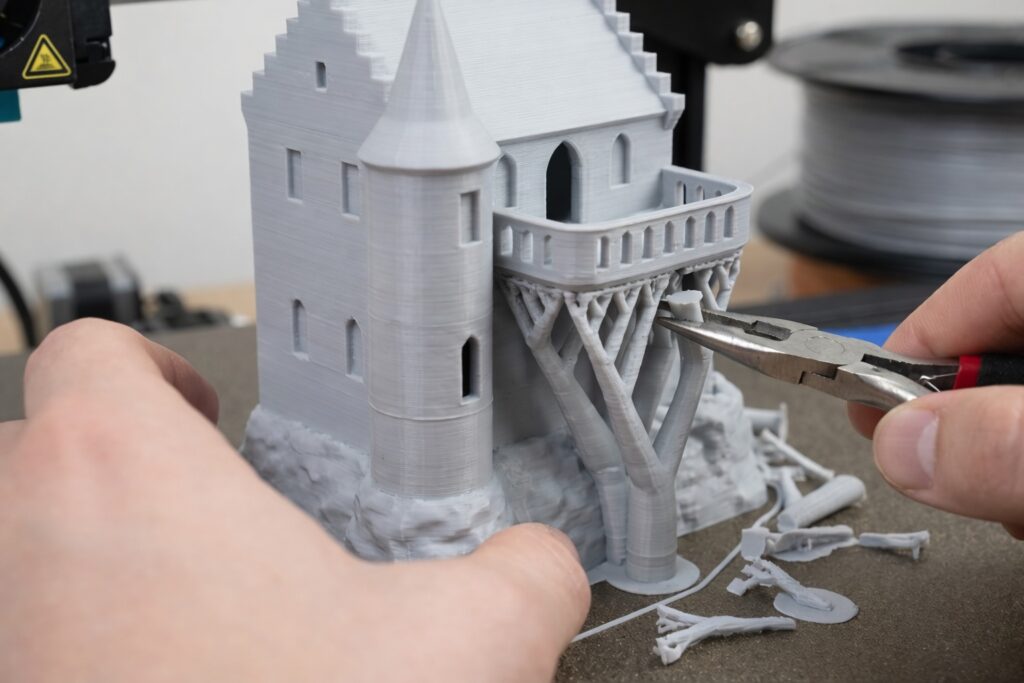
Open Bambu Studio, load your favorite STL file, and navigate to the “Support” tab. Make these specific changes for standard PLA and PETG prints:
- Type: Change this from “Normal(auto)” to “Tree(auto)” or “Tree Slim”. Tree supports use significantly less filament, print much faster, and only touch the model exactly where absolutely necessary.
- Top Z Distance: This is the magic number. The default is usually 0.15mm. Increase this gap slightly to 0.20mm (or 0.16mm if you are printing at a fine 0.12mm layer height). This tiny extra gap ensures the support layer doesn’t fuse tightly with the model.
- Support/Object XY Distance: Set this to 0.35mm. This prevents the vertical branches of the tree supports from sticking to the side walls of your actual model.
- Top Interface Pattern: Change this from the default to “Concentric”. It creates a much smoother surface for the overhang to rest on and peels away much easier than straight lines.
The Ultimate AMS Lite Trick for Flawless Overhangs
If you have the AMS Lite equipped on your A1 Mini, you can use the ultimate support hack: dissimilar materials.
You don’t need the entire support structure to be a different material—just the Support Interface (the top few layers that actually touch the model). If you are printing your main object in PLA, load a spool of PETG into your AMS Lite and set it as the “Support Interface” material.
Because PLA and PETG do not chemically bond to each other, you can set the “Top Z Distance” to 0mm. The supports will literally fall off, leaving a glass-smooth bottom surface.
Conclusion
Stop wasting time sanding rough overhangs and repairing broken parts with superglue. By updating your Bambu Lab A1 Mini support settings, you will achieve professional-looking results right off the build plate with zero frustration.
Ready to test out these new settings? Head over to the corb3d.com STL library and download our latest high-detail models for your next print!