If you are struggling with Bambu Lab P1P first layer problems, you are not alone. Many users face issues like poor adhesion, uneven extrusion, or a rough first layer. The good news is that most of these problems come down to bed leveling and Z offset settings.
In this guide, you will learn how to fix first layer issues step by step using the correct settings.
Why First Layer Problems Happen on Bambu Lab P1P
The first layer is the foundation of every 3D print. If it fails, the entire print is likely to fail. Common causes include:
- Incorrect Z offset
- Dirty or uneven build plate
- Wrong nozzle temperature
- Poor bed leveling calibration
Because the Bambu Lab P1P uses automatic calibration, many users assume everything is perfect. However, small adjustments can make a big difference.
Step 1: Clean the Build Plate Properly
Before adjusting any settings, make sure your build plate is clean.
Use isopropyl alcohol (IPA) to remove grease and dust. Even fingerprints can cause adhesion issues. A clean surface helps the filament stick better during the first layer.
Step 2: Adjust Z Offset for Perfect First Layer
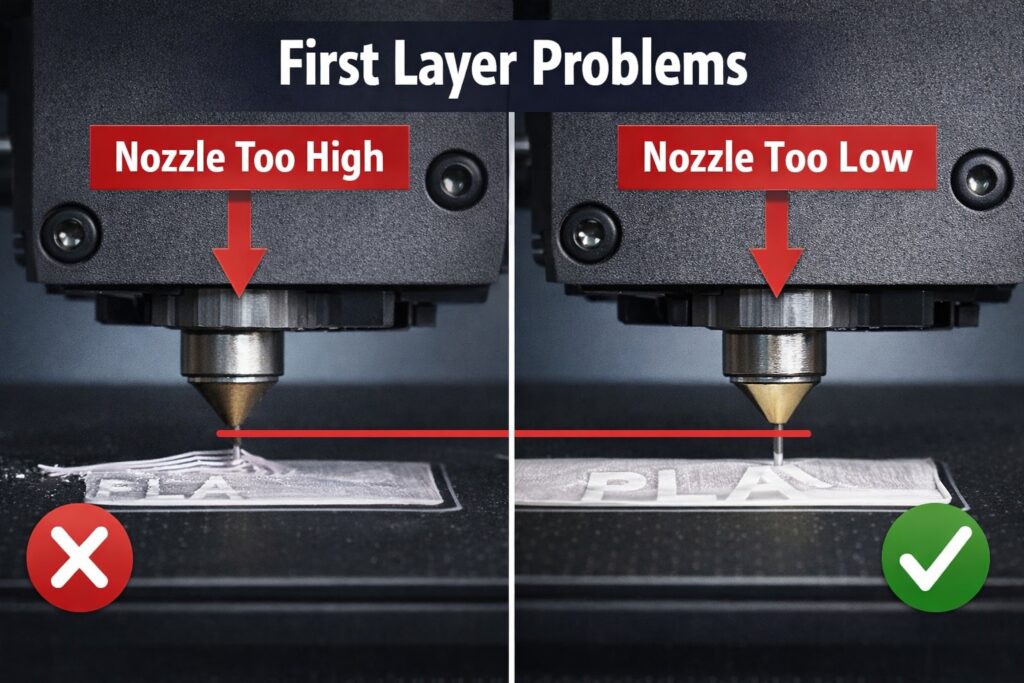
The Z offset determines how close the nozzle is to the bed.
- If the nozzle is too high → filament will not stick
- If the nozzle is too low → filament will squish too much
For the best results:
- Start with the default auto-calibration
- Lower the Z offset slightly (around -0.02 to -0.05 mm)
- Print a first layer test
A perfect first layer should look slightly squished but still smooth.
Step 3: Optimize Bed Leveling Settings
Although the Bambu Lab P1P has auto bed leveling, it is important to:
- Run full calibration regularly
- Make sure the printer is on a stable surface
- Avoid vibrations during calibration
Consistent leveling ensures even extrusion across the entire print bed.
Step 4: Use the Right Temperature Settings
Temperature plays a key role in first layer success.
Recommended PLA settings:
- Nozzle: 200–210°C
- Bed: 55–60°C
If you still have adhesion issues, increase the bed temperature slightly by 5°C.
Step 5: Slow Down the First Layer Speed
Printing too fast can ruin your first layer.
Set your first layer speed to:
- 15–25 mm/s
Slower speeds allow better adhesion and smoother extrusion.
Conclusion
Fixing Bambu Lab P1P first layer problems is easier than it seems. By adjusting your Z offset, bed leveling, and temperature settings, you can achieve perfect first layers consistently.
Start with small changes and test each adjustment. Once dialed in, your prints will stick better and look much cleaner.